1 One key or two?
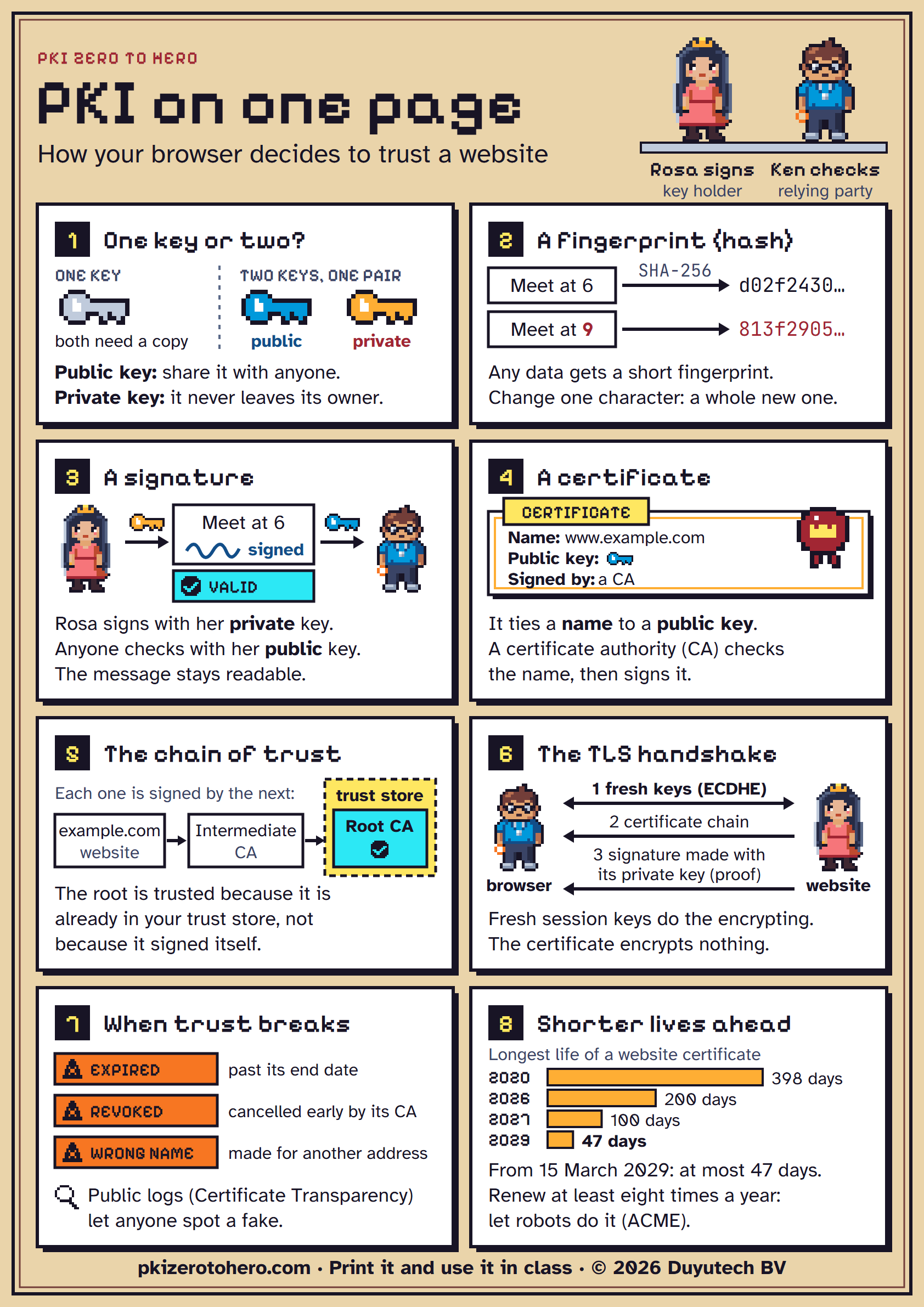
With one shared key, both sides need a copy of the same secret. A key pair is two keys made together: the public key may be shared with anyone, the private key never leaves its owner.
Poster
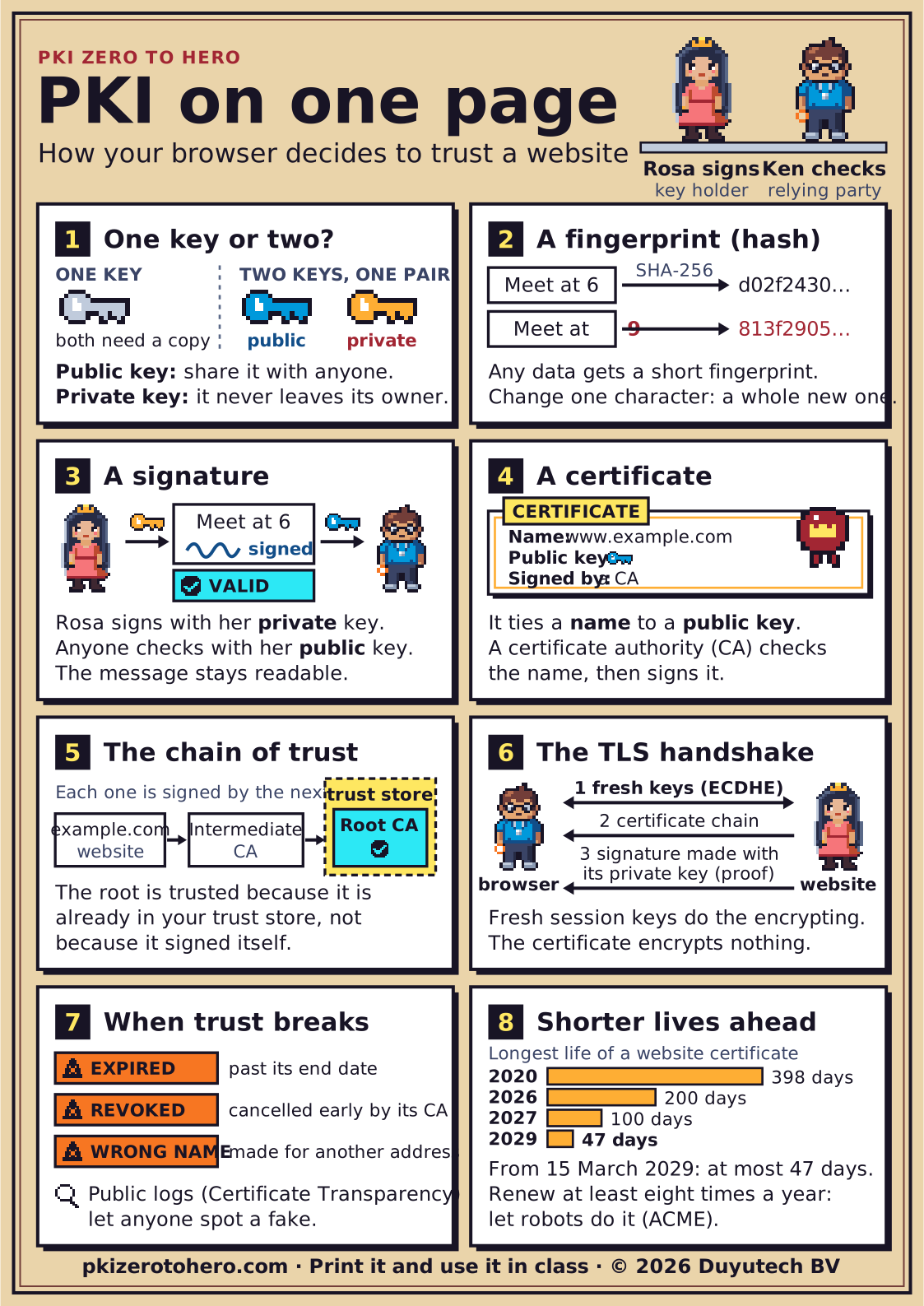
A poster that explains, in eight numbered pictures, how your browser decides to trust a website. Print it for a classroom or an office wall.
PDF, 39 KB. PNG, 1684 × 2382 pixels, 355 KB. Also as an SVG for very large prints.
Each panel in bigger type, with a little more explanation and where to read on.
With one shared key, both sides need a copy of the same secret. A key pair is two keys made together: the public key may be shared with anyone, the private key never leaves its owner.
A hash turns any data into a short fingerprint. Change a single character and the fingerprint changes completely, and there is no practical way back from the fingerprint to the data.
Rosa signs with her private key. Anyone can check the signature with her public key. If one letter changes, the check fails. Signing does not hide the message: it stays readable.
A certificate ties a name to a public key. A certificate authority (CA) checks that the name is really yours, then signs the certificate.
The website sends its own certificate and the intermediate CA's certificate. Each certificate is signed by the next one up, and the browser checks every signature until it reaches a root that is already in its trust store. The root is trusted because it is in the trust store, not because it signed itself.
In TLS 1.3, the browser and the website first agree on fresh session keys (ECDHE), which will encrypt the conversation. The website then sends its certificate chain and signs the handshake with its private key, which proves it holds the key that belongs to the name. The certificate itself encrypts nothing.
Trust breaks when a certificate has expired, has been revoked (cancelled early by its CA, for example after its private key leaked) or was made for a different name. Browsers do not always notice a revocation, which is one reason certificate lifetimes are getting shorter. Public Certificate Transparency logs let anyone spot a certificate that should not exist.
Under the CA/Browser Forum rules, the longest a public website (TLS) certificate may be valid keeps shrinking: 398 days from 2020, 200 days from 2026, 100 days from 2027, 47 days from 2029. From 15 March 2029, the maximum is 47 days, so certificates must be renewed at least eight times a year. Automate renewal with ACME.
The certificate lifetimes and dates on the poster come from our list of checked facts, last checked on . When a rule changes, we update the poster, so download a fresh copy now and then. What's changing in PKI follows the schedule.
Yes. Print it, hang it up and share it in class, as long as you name the source ("PKI Zero to Hero, pkizerotohero.com"). The terms of use have the details.
Early edition. Checked against the standards; an independent expert review is in progress. Found a mistake? Tell us.